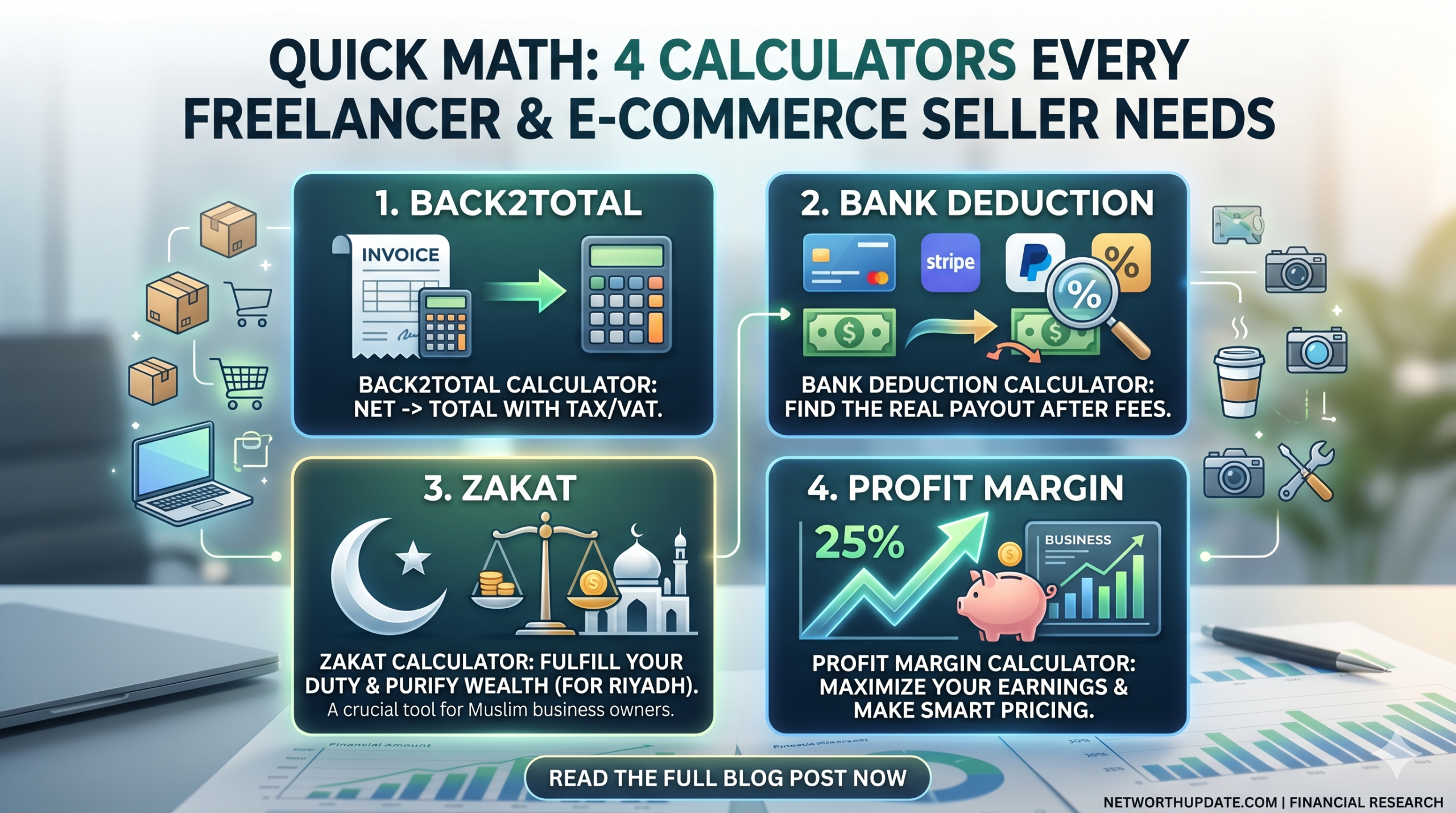
Quick Math: 4 Calculators Every Freelancer & E-commerce Seller Needs
The four calculators for freelancers and ecommerce sellers that protect profit the most are a Back2Total (gross from net) calculator, a bank deduction calculator, a percentage increase calculator for markups and price changes, and a Zakat calculator. Together they cover pricing, payment fees, profit and yearly obligations, so you keep the money you actually earn.
Introduction
The first time I billed an international client, I quoted $1,000, felt great about it, and then watched $950 and change land in my account. Part of it went to the platform. Part went to the bank. I hadn’t planned for either, so the loss came straight out of my pocket.
That’s the moment I started using calculators for freelancers instead of doing the math in my head. Most money mistakes in a small online business aren’t big. They’re small percentages that repeat on every invoice and every order until they add up to a real number.
In this post, I’ll walk you through the four calculators for freelancers and ecommerce sellers I use most, with worked examples you can copy. When you need to set a price from the amount you want to take home, start with the Back2Total calculator. When a client pays by wire or through a processor, the bank deduction calculator shows what will actually reach you. And when you raise rates or set a markup, the percentage increase calculator keeps your math honest.
All of these calculators for freelancers are free, run in the browser and need no sign-up. You don’t need a spreadsheet, a formula you half remember, or an accountant on speed dial for everyday pricing.
Why Calculation Errors Cost Freelancers and Sellers Real Money
Without calculators for freelancers, calculation errors cost money because fees, discounts and markups are percentages, and percentages compound across every sale. A 2% slip on one invoice is pocket change. The same slip on every invoice for a year is a lost month of income.
Here are the mistakes I see most often when people skip calculators for freelancers and do the math by hand:
- Adding a fee on top instead of grossing up. If a platform takes 20%, adding 20% to your price does not cover it. I’ll show the exact math below.
- Forgetting fixed fees. Card processors often charge a percentage plus a fixed amount per transaction. The fixed part hurts most on small orders.
- Confusing markup with margin. A 50% markup is not a 50% margin. Sellers who mix these up often price items at a thinner profit than they think.
- Ignoring wire and conversion fees. International payments can carry fees on both the sending and receiving side.
- Guessing at yearly obligations. Taxes and Zakat are based on totals, so small errors at the start of the year turn into big surprises at the end.
The good news is that every one of these mistakes has a simple fix. Calculators for freelancers and ecommerce sellers turn each of these formulas into a single box you fill in, so you get the same right answer every time.
Calculator 1: Back2Total for Pricing From Your Take-Home Amount
The Back2Total calculator works backward from the amount you want to receive and tells you the total you need to charge after a percentage fee. Of all the calculators for freelancers I use, this is the one I open most, because every marketplace and payment processor takes its cut from the top.
Why adding the fee percentage doesn’t work
Say you want to take home $1,000 and your freelance platform keeps 20%.
Most people add 20% to $1,000 and charge $1,200. But the platform takes 20% of $1,200, which is $240. You receive $960, not $1,000. You are $40 short on a single job.
The correct formula divides your target by what’s left after the fee:
Gross price = Target amount ÷ (1 − fee rate)
So $1,000 ÷ 0.80 = $1,250. The platform keeps $250 (20% of $1,250), and you receive exactly $1,000. Back2Total does this division for you, which is why I treat it as the first of the calculators for freelancers anyone should bookmark.
Worked example with a card processor fee
Card processors usually charge a percentage plus a fixed fee, which is where calculators for freelancers earn their keep. According to NerdWallet’s breakdown of Stripe processing fees, the standard online card rate is 2.9% plus $0.30 per transaction, and international cards cost 4.4% plus $0.30.
To receive $500 from a domestic card payment, the formula adds the fixed fee first:
Gross = (Target + fixed fee) ÷ (1 − percentage fee)
($500 + $0.30) ÷ 0.971 = $515.24. Stripe takes $15.24, and $500.00 reaches you.
For an international card at 4.4% plus $0.30, the same target needs ($500 + $0.30) ÷ 0.956 = $523.33. That’s an extra $8 on one payment just because of the card type. Calculators for freelancers make that difference visible before you send the invoice, not after.
When I use Back2Total and other calculators for freelancers
- Setting hourly or project rates on marketplaces that keep a percentage.
- Quoting a client who will pay by card through an invoicing tool.
- Pricing a digital product sold through a platform with a revenue share.
- Checking whether a “small” fee increase from a platform changes my rates.
Tip: Decide your required take-home amount first, then let the calculator set the price. Starting from a round price and hoping the remainder covers your costs is how margins disappear.
Calculator 2: Bank Deduction for Fees on Incoming Payments
A bank deduction calculator, one of the simplest calculators for freelancers, shows how much of a payment you will actually receive after a percentage or fixed fee is taken out. It’s one of the calculators for freelancers that matters most when clients pay from abroad or through a third-party processor.
What banks charge for wires
NerdWallet’s survey of wire transfer fees banks charge lists median fees of $15 for incoming domestic wires, $25 for outgoing domestic wires, $15 for incoming international wires and $45 for outgoing international wires. The exact amount depends on your bank and whether the transfer is in a foreign currency.
Those numbers look small until you run them through calculators for freelancers. If you invoice four international clients a month and each payment loses $15 on arrival, that’s $60 a month and $720 a year. On top of that, currency conversion can take another slice when the money changes currency.
Worked example
Say a client sends $800 by international wire and your bank charges $15 to receive it. You get $785, which is a 1.875% deduction.
Now add a 1% currency conversion spread on the $800. That’s another $8. You end up with $777, almost 3% less than the invoice. The bank deduction tool turns that into a clear number before you agree on terms, which is exactly why calculators for freelancers belong in your invoicing routine.
How I use the result
- Pass fees to the client when the contract allows it. I state in my contract that the client covers sending fees and that the invoice amount must arrive in full.
- Bundle small invoices. One monthly payment carries one flat fee instead of four.
- Compare payment methods. I run the same invoice through the bank deduction calculator for a wire, a card payment and a payment app, then pick the cheapest one that the client is comfortable with.
- Convert currencies first. When I quote in a client’s currency, I check the rate with a currency converter so the invoice matches what I need in my own currency.
Calculators for freelancers like this one don’t lower fees on their own. They show you where the money goes, so you can make a better choice before the payment is sent.
Calculator 3: Percentage Increase for Markups, Margins and Price Changes
A percentage increase calculator shows how much a number has grown in percentage terms, which makes it the right tool for markups, rate increases and price changes. For sellers, it’s one of the most useful calculators for freelancers and ecommerce sellers because pricing is mostly percentage math.
Markup vs margin, explained simply
Markup is the percentage you add to your cost. Margin is the percentage of the selling price that is profit. Shopify’s guide to markup vs margin uses a simple example: a rug that costs $50 to make and sells for $80. The profit is $30.
- Markup = $30 ÷ $50 = 60%
- Margin = $30 ÷ $80 = 37.5%
Same rug, same profit, two very different percentages. If you think you’re running a 60% margin when it’s really a 60% markup, every discount you offer eats more profit than you expected.
Working backward from a target margin
If you want a 40% margin on a product that costs $30, the formula is:
Price = Cost ÷ (1 − target margin)
$30 ÷ 0.60 = $50. Your profit is $20, which is 40% of $50. The markup on that same product is 66.7%, and the percentage increase calculator confirms it: going from $30 to $50 is a 66.7% increase. I use calculators for freelancers like this one to check both numbers, because suppliers and marketplaces often talk in different terms.
Raising your rates
Freelancers use this same tool, one of my favorite calculators for freelancers, for rate changes. If you move your hourly rate from $40 to $46, that’s a 15% increase. Telling a client “15%” sounds very different from “$6 more an hour,” and it’s worth knowing both before the conversation.
The discount trap
Discounts and increases are not symmetrical. If you drop a $100 price by 20% for a sale, it becomes $80. To get back to $100 afterward, you need a 25% increase, not 20%. Sellers who forget this slowly lower their prices sale after sale. Running the numbers through calculators for freelancers before and after a promotion stops that drift.
When I use it
- Setting retail prices from supplier costs.
- Planning a sale and checking what margin is left at each discount level.
- Comparing month-over-month sales or order values.
- Explaining a rate increase to existing clients.
Calculator 4: Zakat for Business Owners
A Zakat calculator, the last of my four calculators for freelancers, adds up your zakatable wealth, checks it against the nisab threshold and works out the amount due. For Muslim freelancers and sellers, it’s one of the calculators for freelancers that saves the most stress at the end of the year, because business assets are easy to miss.
How Zakat is calculated with calculators for freelancers
According to Islamic Relief USA’s Zakat calculator guide, Zakat is due at 2.5% of the wealth you hold above the nisab. The nisab equals the value of 85 grams of gold, and its money value changes every day with the gold price. Islamic Relief USA also lists business merchandise and profits among zakatable assets, along with shares and other investments.
For an online business, the assets people most often overlook are:
- Inventory held for sale, valued at what you could sell it for.
- Money owed to you by clients or marketplaces that you expect to receive.
- Balances in payment accounts such as processor or marketplace wallets.
- Business cash in a separate account.
Worked example
Say a seller has $4,000 in business cash, $6,000 of inventory and $2,000 of payments due from a marketplace. Many scholars allow short-term debts that are due now to be subtracted, so with $1,000 owed to a supplier, the zakatable total is $11,000.
If $11,000 is above the nisab on the day you calculate, the Zakat due is $11,000 × 2.5% = $275.
The Zakat calculator on X2X Converter lets you enter each type of asset separately, which makes the total easier to check. Rules on specific assets and debts differ between schools of thought, so if your situation is complex, ask a qualified scholar to confirm what counts.
Which Calculator Do You Need? A Quick Comparison
The right one of these calculators for freelancers depends on the problem in front of you. Here is how I match the four calculators for freelancers and ecommerce sellers to everyday tasks:
| Calculator | What It Does | Best For | Example Input | Example Result |
|---|---|---|---|---|
| Back2Total | Works out the gross price from the net amount you want | Platform fees, card fees, revenue shares | Want $1,000, fee 20% | Charge $1,250 |
| Bank Deduction | Shows what arrives after a fee is taken out | Wires, payment apps, processors | $800 wire, $15 fee | Receive $785 |
| Percentage Increase | Measures the percentage change between two numbers | Markups, rate increases, sales growth | $30 cost to $50 price | 66.7% markup |
| Zakat | Totals zakatable wealth and applies 2.5% | Yearly obligation on business assets | $11,000 zakatable | $275 due |
If I had to pick one starting point among these calculators for freelancers, I’d say freelancers should start with Back2Total and sellers should start with the percentage increase calculator. Both fix the pricing mistakes that cost the most.
A Simple Weekly Money Routine Using These Calculators
Calculators for freelancers only help if you use them at the right moment. This is the routine I follow, and it takes about 15 minutes a week:
- Before quoting: Run every new quote through Back2Total using the platform or card fee that applies.
- Before invoicing: Check the payment method with the bank deduction calculator and add a line about fees to the invoice if needed.
- Before a sale or price change: Use the percentage increase calculator to see the real margin at the new price.
- At month end: Compare what you invoiced with what actually arrived. If the gap is growing, the fees changed.
- Once a year: Total your business assets and run the Zakat calculator on your chosen date.
Freelancers who follow a routine like this rarely get surprised. The calculators for freelancers do the math, and the routine makes sure the math happens before money changes hands.
Don’t Forget Taxes When You Price
Taxes are the cost that calculators for freelancers can’t fully handle and the one freelancers forget most often, because nothing is withheld from client payments. In the US, the IRS explains on its page about self-employment tax that the rate is 15.3%, made up of 12.4% for Social Security and 2.9% for Medicare. You generally need to pay it and file Schedule SE once your net earnings from self-employment reach $400 or more. That’s before regular income tax.
You don’t need a separate tax calculator to plan for this. I treat a set percentage of every payment as “not mine” and move it to a separate account the day it arrives. Then, when I use calculators for freelancers to set rates, I make sure the take-home target already includes that tax share. Tax rules differ by country and situation, so check the numbers with a tax professional.
Calculators for Freelancers by Type of Work
Different kinds of work run into different money problems, so the calculators for freelancers you reach for first depend on what you do. Here is how I would set things up for the most common setups.
Writers, designers and developers on marketplaces. Your biggest leak is the platform’s cut. Use Back2Total on every proposal, and keep a note of the fee rate each platform charges. These are the calculators for freelancers who bid on many small jobs, where a few dollars per job adds up fast.
Consultants and agencies with direct clients. You often invoice larger amounts by wire or card. The bank deduction calculator and the currency converter matter most here. I’d also run the percentage increase calculator once a year when you review your rates, so a raise is a clear number instead of a guess.
Ecommerce sellers with physical products. Margin is everything. Use the percentage increase calculator to check markup and margin on every product, then run Back2Total with your marketplace or card fee to see the final price you need. For sellers, calculators for freelancers and ecommerce sellers work best as a pair: one for product profit, one for platform fees.
Digital product creators. Courses, templates and downloads have almost no cost per sale, so fees are your main expense. Back2Total and the bank deduction calculator cover nearly everything you need.
Muslim business owners in any of these groups. Add the Zakat calculator to your yearly routine and keep a simple list of inventory, receivables and payment balances so the yearly check takes minutes.
How to Read Your Results Without Second-Guessing
The numbers from calculators for freelancers are only useful if you trust them enough to act. Here is how I check a result before I send a quote or change a price:
- Reverse the math once. If Back2Total says charge $1,250 for a $1,000 target at 20%, take 20% off $1,250 and confirm you land on $1,000.
- Check the fee type. A percentage-only fee and a percentage-plus-fixed fee give different answers. Make sure the calculator input matches how you’re actually charged.
- Look at the per-unit view. For sellers, divide total fees by the number of orders. A fee that looks small per month can be large per order.
- Write the result down. I keep a short pricing note per client or product with the fee rate, target and final price. Next time, the calculators for freelancers only need a quick update instead of a fresh start.
Common Mistakes to Avoid
Even with good calculators for freelancers, a few habits cause most of the money leaks I see:
- Using the wrong fee rate. Platforms and processors change fees. Check the current rate before you run calculators for freelancers on a new quote.
- Forgetting the fixed part of a fee. A $0.30 fee is 3% of a $10 order. Small orders need their own pricing check.
- Treating markup as margin. Always confirm which one a supplier or marketplace means.
- Stacking discounts without checking. Two 10% discounts are not a 20% discount on the original price, and the margin left can be smaller than you think.
- Rounding too early. Round only the final price. Rounding each step can shift your result by several dollars on large invoices.
- Running Zakat on the wrong date. Pick a fixed date each year and use your balances on that day when you run calculators for freelancers like the Zakat tool.
Things to Consider Before Choosing Your Tools
Not every business needs all four calculators for freelancers on the same day. Before you build a routine around calculators for freelancers and ecommerce sellers, think about these points:
- Your transaction volume. A seller with hundreds of orders needs fast margin checks. A freelancer with three clients a month gets more value from fee and pricing tools.
- Where your money leaks. If international clients pay you often, start with bank deductions and currency conversion.
- How your platforms charge. Some take a percentage, some add fixed fees, and some charge both. Pick the formula that matches.
- Your yearly obligations. Taxes and Zakat both depend on accurate totals, so keep clean records all year.
- Privacy. Browser-based calculators for freelancers that need no account let you check numbers without storing your financial data anywhere.
Key Takeaways
- The four calculators for freelancers and ecommerce sellers that protect profit most are Back2Total, bank deduction, percentage increase and Zakat.
- To cover a percentage fee, divide your target by (1 − fee rate). Adding the fee percentage on top leaves you short.
- Card fees often include a fixed amount, so small payments lose a bigger share.
- Markup is profit divided by cost. Margin is profit divided by price. They are not the same number.
- A 20% discount needs a 25% increase to get back to the original price.
- Zakat is 2.5% of zakatable wealth above the nisab, and business inventory and money owed to you usually count.
- Plan for taxes inside your take-home target when you use calculators for freelancers, not after the money arrives.
- Free, browser-based calculators for freelancers need no account and give the same right answer every time.
Frequently Asked Questions
What are the best calculators for freelancers?
The most useful calculators for freelancers are a gross-from-net calculator like Back2Total, a bank or payment fee calculator, a percentage increase calculator for rate changes, and, for Muslim freelancers, a Zakat calculator. Together they cover pricing, fees and yearly obligations, which is where most freelance income gets lost.
How do I calculate my rate after platform fees?
Divide the amount you want to receive by one minus the fee rate, or let calculators for freelancers like Back2Total do it. To take home $1,000 on a platform that keeps 20%, charge $1,000 ÷ 0.80, which is $1,250. Adding 20% on top gives $1,200, which leaves you $40 short after the platform takes its share.
What is the difference between gross and net income?
Gross income is the total amount you bill a client before anything is taken out. Net income is what actually reaches your account after platform fees, payment processing, bank charges and currency conversion. For tax purposes, net earnings also subtract allowable business expenses, so keep records of both figures.
How do I include card processing fees in my price?
Add the fixed fee to your target amount, then divide by one minus the percentage fee. With a fee of 2.9% plus $0.30, receiving $500 means charging ($500 + $0.30) ÷ 0.971, which is $515.24. International cards usually cost more, so check which card type your client will use.
What is the difference between markup and margin?
Markup is profit as a percentage of cost. Margin is profit as a percentage of the selling price. An item that costs $50 and sells for $80 has a $30 profit, which is a 60% markup but only a 37.5% margin. Mixing them up leads to prices that earn less than you expect.
How much do banks charge to receive international payments?
It depends on the bank, which is why calculators for freelancers ask for your exact fee. NerdWallet’s survey lists a median fee of $15 for incoming international wires, with some banks charging nothing. Currency conversion can add another cost on top. Check your own bank’s fee schedule and run the numbers before you agree on a payment method with a client.
Can I pass bank and payment fees on to clients?
Often you can, if your contract says so, and calculators for freelancers show exactly how much to pass on. Many freelancers state that the client covers sending fees and that the full invoice amount must arrive. For card payments, rules on surcharges vary by country and card network, so check local rules before adding a fee line to your invoices.
How do I calculate Zakat on business inventory?
Value your inventory at what it would sell for today, then add business cash, money owed to you and payment account balances. Many scholars allow short-term debts due now to be subtracted. If the total is above the nisab, pay 2.5% of it. Ask a scholar to confirm complex cases.
How much should freelancers set aside for taxes?
It depends on your country, income and expenses. In the US, self-employment tax alone is 15.3% of net earnings from self-employment, before regular income tax. Many freelancers move a fixed share of every payment into a separate account. A tax professional can help you choose the right percentage.
Are online business calculators accurate?
Online calculators for freelancers are accurate when you enter the right numbers. Most errors come from using an outdated fee rate, forgetting a fixed fee or rounding too early. Check the current fees from your platform or bank, enter exact amounts and round only the final result for the most reliable answer.
Conclusion
Small percentages, the kind calculators for freelancers catch, decide whether a freelance business or online store is quietly profitable or quietly losing money. The four calculators for freelancers and ecommerce sellers in this post cover the math that matters most: what to charge after fees, what will actually arrive, how much profit sits inside each price, and what you owe at the end of the year.
You don’t need to be good at math to price well when you have calculators for freelancers on hand. You need the right formula at the right moment, and these calculators for freelancers give you exactly that in a few seconds.
Ready to stop guessing? Open the free calculators for freelancers on X2X Converter, run your next quote through Back2Total, and see what you should really be charging.