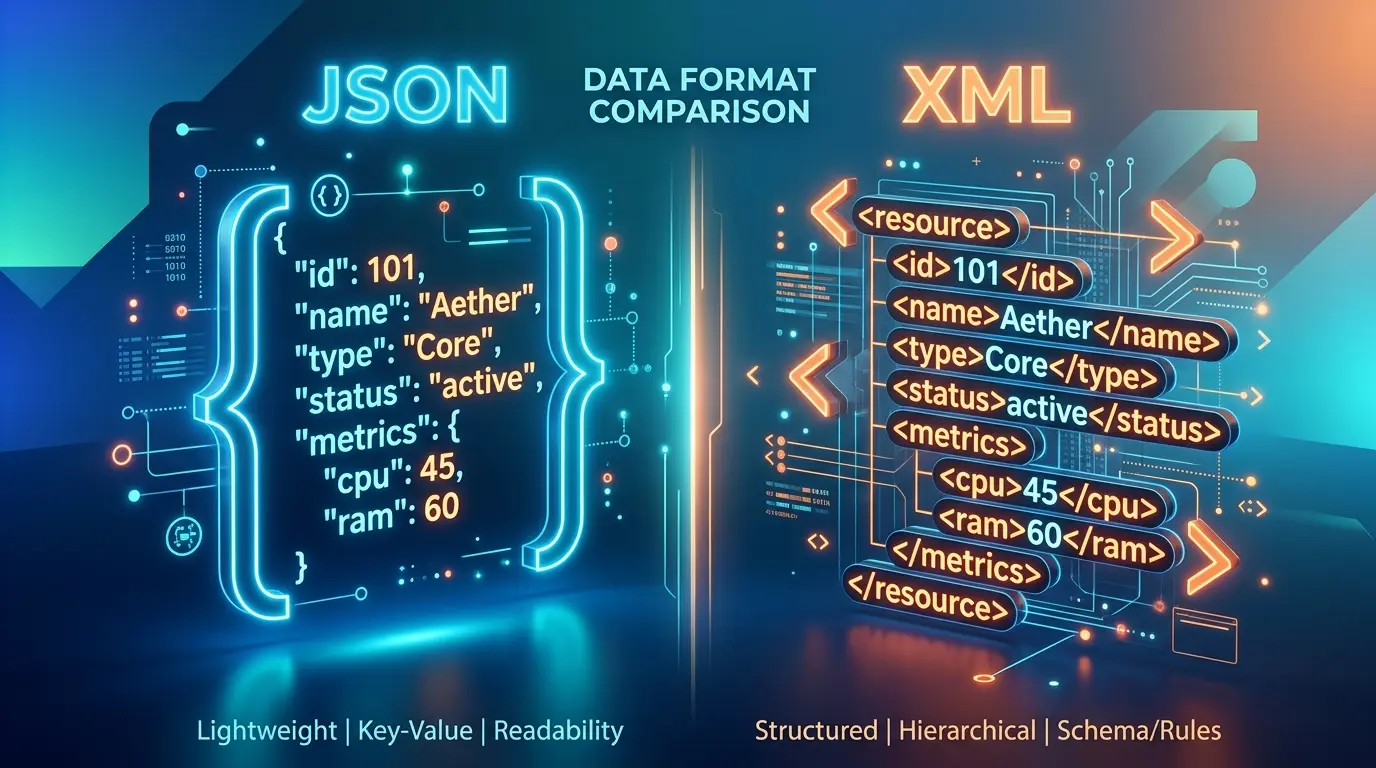
XML vs JSON comes down to structure versus simplicity. JSON is a lightweight key value format that is shorter, faster to parse in most web stacks and native to JavaScript, so it dominates REST APIs. XML uses tags, attributes, namespaces and schemas, which makes it stronger for documents, strict validation and older enterprise systems.
Introduction
If you have ever opened an API response and wondered why one service sends curly braces while another sends angle brackets, you have already met the XML vs JSON question. I get asked about it all the time, usually by people who just need their data to move from one system to another without breaking.
Here is my honest take after working with both sides of XML vs JSON on conversion tools: neither one is “better” in every case. JSON wins most modern web work. XML still wins in places where documents need strict rules, mixed content or long term stability. The trick is knowing which situation you are in.
Below you will find the real differences, the same data written in both formats, an honest XML vs JSON look at performance and security, and a simple way to decide. If you already know you need to switch formats, you can paste your file into our free XML to JSON converter and get clean output in seconds.
What Is XML?
Before we compare XML vs JSON, let’s define each one. XML stands for Extensible Markup Language. It is a text based markup language that stores data inside custom tags you define yourself, like <customer> or <price>. Every opening tag needs a matching closing tag, and the whole document must sit inside one root element.
XML became a W3C Recommendation in February 1998, and the current XML 1.0 Fifth Edition was published in November 2008. One line in the official design goals tells you a lot about the format: the W3C states that terseness in XML markup is of minimal importance. In other words, XML was never built to be short. It was built to be explicit, self describing and easy for programs to validate.
Key features of XML:
- Custom tags that describe the meaning of the data
- Attributes for extra details inside a tag
- Namespaces to avoid name clashes when you mix vocabularies
- Comments, processing instructions and CDATA sections
- Schema support (DTD and XSD) for strict validation
- Mixed content, meaning text and tags can sit side by side in one element
What Is JSON?
The second half of the XML vs JSON pair is JSON, which stands for JavaScript Object Notation. It is a lightweight data interchange format built from key value pairs and arrays. JSON came from JavaScript object syntax, but today almost every programming language can read and write it.
The current standard, RFC 8259 from the IETF, says JSON can represent four primitive types (strings, numbers, booleans and null) and two structured types (objects and arrays). That is the whole vocabulary. This small rule set is exactly why JSON feels so easy.
Key features of JSON:
- Objects in curly braces { } and arrays in square brackets [ ]
- Native data types, so numbers and booleans are not just text
- No closing tags, so files are shorter
- Direct mapping to objects in JavaScript, Python, PHP and most modern languages
- No comments allowed in standard JSON
When you work with JSON every day, readability matters. Our JSON prettifier formats messy or minified JSON into clean, indented text so you can spot mistakes quickly.
XML vs JSON: Same Data, Two Formats
The fastest way to understand XML vs JSON is to look at one small record written both ways. Here is a simple online order.
In XML:
<order id=”1042″>
<customer>Sara Khan</customer>
<items>
<item sku=”TSH-01″ qty=”2″>T-shirt</item>
<item sku=”CAP-07″ qty=”1″>Cap</item>
</items>
<paid>true</paid>
</order>
In JSON:
{
“order”: {
“id”: 1042,
“customer”: “Sara Khan”,
“items”: [
{ “sku”: “TSH-01”, “qty”: 2, “name”: “T-shirt” },
{ “sku”: “CAP-07”, “qty”: 1, “name”: “Cap” }
],
“paid”: true
}
}
A few things jump out:
- XML repeats every tag name twice, once to open and once to close.
- XML uses attributes (sku, qty) while JSON turns them into normal keys.
- In JSON, 1042 is a number and true is a boolean. In XML, everything is text unless a schema says otherwise.
- JSON needs an explicit array for the list of items. XML just repeats the <item> element.
I ran a quick size check on these two exact snippets. With whitespace removed, the XML came to 165 bytes and the JSON to 146 bytes. That is a small sample, and the gap changes a lot with your data shape. Attribute heavy XML can be compact, while deeply nested XML with long tag names grows fast.
XML vs JSON Comparison Table
Here is the XML vs JSON comparison at a glance. Bookmark it if you need a fast XML vs JSON reference during a project:
| Feature | XML | JSON |
|---|---|---|
| Full name | Extensible Markup Language | JavaScript Object Notation |
| Type | Markup language | Data interchange format |
| Structure | Tree of elements and attributes | Objects, arrays, key value pairs |
| Data types | Text by default, types via schema | String, number, boolean, null, object, array |
| Comments | Supported | Not supported |
| Namespaces | Supported | Not supported |
| Schema validation | DTD, XSD (very mature) | JSON Schema |
| Mixed content | Yes | No |
| Typical size | Larger (closing tags) | Smaller |
| Browser parsing | DOMParser | JSON.parse() |
| Common uses | Documents, SOAP, RSS, office files, configs | REST APIs, web apps, NoSQL, configs |
| Encoding | UTF-8 or UTF-16 required support | UTF-8 for open data exchange |
XML vs JSON Syntax Differences
Syntax is where most beginners feel the XML vs JSON difference first.
Tags versus key value pairs
XML wraps every value in named tags. JSON writes a key, a colon and a value. That alone removes a lot of characters from JSON files.
Attributes versus nested keys
XML lets you place data either inside an element or as an attribute. Teams often argue about which one to use. JSON has no attributes, so there is only one way to store a value. Fewer choices means fewer style fights.
Arrays
JSON has real arrays. XML has no array type. You simply repeat elements, and the receiving program has to know that <item> can appear many times. This causes a classic conversion bug I see often: when an XML list contains only one item, some converters output a single object instead of an array. Always check this after converting.
Quotes and strict rules
JSON requires double quotes around keys and strings. No single quotes, no trailing commas and no comments. XML is strict too: tags are case sensitive, every tag must close, and special characters like < and & must be escaped.
Binary data
On binary data, XML vs JSON is a tie. Both formats are text, so neither can hold raw binary data like images or PDFs. The usual fix in both cases is to encode the file as a Base64 string and place it inside an element or a key. If you need to do that by hand, our Base64 converter encodes and decodes strings in one step. Keep in mind that Base64 makes data roughly a third larger, so large files are better sent as links.
XML vs JSON Performance: Which Is Faster?
In most web applications, JSON is faster to parse and lighter to send. That is the short answer to the XML vs JSON performance question, but the details matter.
Why JSON usually wins
These are the main reasons JSON leads most XML vs JSON performance tests:
- Smaller payloads. No closing tags means fewer bytes over the network.
- Simpler grammar. JSON parsers have less to handle: no namespaces, no entities, no DTDs.
- Native browser support. JavaScript turns JSON text into objects with one call to JSON.parse().
- Modern libraries. For example, Microsoft describes its System.Text.Json library for .NET as designed for high performance and low memory allocation, with built in UTF-8 support.
When the gap shrinks
- Compression. With gzip or Brotli turned on, repeated XML tags compress very well, so the wire size difference gets smaller.
- Streaming parsers. XML has mature streaming parsers (SAX and StAX) that read huge files without loading everything into memory.
- Your actual bottleneck. In my experience, database queries and network latency usually cost more time than parsing. Do not switch formats only for speed unless you have measured the problem.
So for XML vs JSON performance, measure your own payloads before you decide. A quick test with real data beats any general rule.
XML vs JSON Validation and Schemas
Validation is where XML has a long head start in the XML vs JSON debate.
XML has two main schema options. DTD is the older one, built into the W3C XML 1.0 specification itself. XSD (XML Schema Definition) is much richer. The current W3C XML Schema Definition Language (XSD) 1.1 lets you define data types, required elements, value ranges, patterns and even assertions. Banks, healthcare systems and government data exchanges lean on XSD because it can reject bad documents before they enter a system.
JSON has JSON Schema, which covers most of the same ground: types, required fields, enums, patterns and nested rules. It is widely used in API design and tools like OpenAPI. It is younger than XSD, but for typical web data it is more than enough.
My rule of thumb: if a regulator, partner or legacy system already gives you an XSD, stay with XML. If you are designing a new API, JSON Schema is easier for your team to write and read.
XML vs JSON Security: Is JSON More Secure Than XML?
Neither format is secure or insecure on its own. Security depends on the parser and how you use it. Still, the XML vs JSON security picture is different in a few important ways.
XML risks
Most XML vs JSON security differences start here. XML supports entities and DTDs, and that flexibility opens real attack paths:
- XML External Entity (XXE) injection. A malicious document can tell a weakly configured parser to read local files or call internal URLs.
- Entity expansion attacks. Nested entities can blow up memory use, often called the billion laughs attack.
The OWASP XML External Entity Prevention Cheat Sheet recommends disabling DTDs whenever possible and turning off external entity resolution. If you accept XML from users or third parties, follow that advice.
JSON risks
JSON has a smaller attack surface because it has no entities or external references. But it is not risk free:
- Never parse JSON with eval(). The RFC 8259 JSON standard itself warns that this is an unacceptable security risk.
- Watch for duplicate keys, huge numbers and deeply nested payloads that can confuse or overload parsers.
- Validate input with a schema before trusting it.
So is JSON more secure than XML? It is simpler to handle safely, which helps. But a careless JSON setup can still be attacked, and a hardened XML parser can be perfectly safe.
Advantages of JSON Over XML
When people search XML vs JSON, they usually want to know what each side brings. Here are the advantages of JSON over XML that matter most in daily work:
- Shorter and cleaner. No closing tags, so files are smaller and easier to scan.
- Real data types. Numbers, booleans and null are built in.
- Native to JavaScript. Front end developers can use JSON directly.
- Arrays are explicit. Lists are clear, so there is less guessing during parsing.
- Faster to learn. A beginner can understand JSON syntax in a few minutes.
- First choice for REST APIs. Most public web APIs today send and receive JSON.
- Database support. Document databases store JSON natively, and Microsoft SQL Server has included JSON functions since SQL Server 2016.
Advantages of XML Over JSON
XML is older, but it still holds its ground in the XML vs JSON comparison with these strengths:
- Rich validation. XSD can define strict, detailed rules.
- Namespaces. You can combine vocabularies from different sources without name clashes.
- Comments. You can document a file right inside it.
- Mixed content. Text and markup can live together, which suits books, legal texts and articles.
- Transformation tools. XSLT can turn XML into HTML, PDF layouts or other XML.
- Querying. XPath and XQuery give precise ways to find data inside large documents.
- Long term stability. Many industry standards, file formats and government systems are built on XML and are not going away.
When to Use XML vs JSON
Choosing between XML vs JSON gets easier when you look at the job, not the format.
Choose JSON when
In the XML vs JSON decision, JSON is the safer default when:
- You are building or calling a REST API
- Your front end runs on JavaScript or a modern framework
- You store data in a document database
- You want small, fast payloads for mobile apps
- Your data is mostly records: users, products, orders, settings
Choose XML when
XML is the stronger side of XML vs JSON when:
- A partner, government body or legacy system requires it
- You work with SOAP web services
- You need strict validation with XSD
- Your content is document style with mixed text and markup
- You produce RSS feeds, sitemaps or office file formats (DOCX and XLSX are XML inside zip packages)
A simple decision checklist
Ask these four questions:
- Does the system on the other end already expect one format? Use that.
- Is the data a document or a record? Documents lean XML, records lean JSON.
- Do you need comments, namespaces or mixed content? That points to XML.
- Is speed in a browser or mobile app the priority? That points to JSON.
XML vs JSON in Real Projects
Theory is useful, but XML vs JSON decisions usually happen inside a real task. Here are four situations I see often and how I would call each one.
A mobile app talking to its own backend. This is the easiest XML vs JSON call. Use JSON. You control both ends, payloads stay small and every mobile platform parses it well.
An online store syncing orders with an accounting system. Check the accounting side first. Many ERP and invoicing systems still accept XML only, so XML vs JSON here is decided by the receiver, not by you. Convert at the edge if your store speaks JSON.
A content team publishing long articles with footnotes and inline formatting. XML or an XML based format handles mixed content far better. In this XML vs JSON case, JSON would force you to split text into awkward chunks.
A settings file for a small script. Either works. JSON is shorter, but if your team wants comments in the file, XML (or YAML) is friendlier. This is the rare XML vs JSON case where team habit is a fair tiebreaker.
Is XML Still Used in 2026?
Yes, XML is still used, and widely. It just moved out of the spotlight. XML vs JSON is no longer a fight for the same territory. Each format settled where it fits best.
You will find XML today in:
- XML sitemaps that help search engines discover your pages
- RSS and Atom feeds for blogs and podcasts
- SOAP services in banking, insurance and telecom
- Office documents and many e-invoicing standards
- Android layout files and many Java build files
- SVG graphics, which are XML too
Why Is JSON Replacing XML in Web Development?
JSON took over web development for practical reasons. AJAX made browsers fetch data constantly, and JSON matched JavaScript objects with zero extra work. REST APIs grew, mobile apps needed lighter payloads, and NoSQL databases stored JSON documents directly.
Can JSON replace XML completely? Not really. JSON cannot do mixed content, has no namespaces and no comments. For document heavy and strictly validated systems, XML stays. In my view, the smarter question in any XML vs JSON discussion is “which one does this specific job need?”
How to Convert XML to JSON (and Back)
Once you settle the XML vs JSON question, the next step is often conversion. Most teams eventually need to convert data between formats. Maybe an old supplier sends XML, but your app speaks JSON. Here is a simple process.
Step by step: XML to JSON
- Open the XML to JSON tool on X2X Converter.
- Paste your XML or upload the file.
- Click convert.
- Check the output: attributes, arrays and empty elements.
- Copy or download the JSON.
Conversion runs in your browser, so the data stays on your device.
Common conversion problems to check
- Attributes. Many converters prefix them with @ or place them in a separate object. Decide on one convention.
- Single item lists. One <item> may become an object instead of an array.
- Text with attributes. An element like <item sku=”A”>Cap</item> needs a key for the text, often #text.
- Data types. XML text like “1042” might stay a string. Fix types where your app needs numbers.
- Namespaces. Prefixes such as ns:price may appear in your keys.
JSON to XML
Going the other way, every JSON key becomes an element. Arrays become repeated elements, and you need to choose a root element name because JSON does not require one. Keys with spaces or starting with numbers are not valid XML tag names, so they must be renamed.
Related data tools
Once your data is in JSON, you can do more with it. If you start from a spreadsheet, the Excel to JSON converter turns rows into clean JSON objects. And if you need to show JSON data on a web page, the JSON to HTML table converter builds a readable table for you.
Common Mistakes When Choosing Between XML and JSON
I see the same XML vs JSON mistakes again and again:
- Treating XML vs JSON as a fashion choice. Picking a format because it feels modern is not a technical reason.
- Switching formats without a reason. If an XML integration works and partners depend on it, rewriting it to JSON adds risk with little gain.
- Ignoring the receiver. The other system’s needs matter more than your preference.
- Assuming JSON is always secure. Validate every input.
- Leaving XML parsers on default settings. Disable DTDs and external entities for untrusted input.
- Forgetting about arrays during conversion. Test with one item, many items and zero items.
- Adding comments to JSON files. Standard JSON parsers will reject them.
XML vs JSON for SEO and Structured Data
This is a question I find interesting as someone who works on websites. For SEO, XML vs JSON is not an either or question. Both formats show up, but in different roles.
- XML powers sitemaps. Search engines read your sitemap.xml to find pages.
- JSON powers structured data. Google recommends JSON-LD, a JSON based format, for schema markup on web pages.
So for site owners, XML vs JSON is not a choice at all. You will likely use both on the same website.
Key Takeaways
- XML vs JSON is a trade off between strict structure and lightweight simplicity.
- JSON is shorter, uses native data types and is the default for REST APIs and web apps.
- XML offers namespaces, comments, mixed content and mature XSD validation.
- JSON usually parses faster, but compression and real bottlenecks matter more than format alone.
- Security depends on parser setup: disable DTDs for XML and never use eval() for JSON.
- XML is still used for sitemaps, RSS, SOAP, office files and many industry standards.
- Most real XML vs JSON decisions are made by the receiving system, not by personal taste.
- Converting is easy, but check attributes, arrays and data types after every conversion.
Frequently Asked Questions
1. What is the main difference between XML and JSON?
In the XML vs JSON comparison, XML is a markup language that stores data in custom tags and attributes, with support for namespaces, comments and schemas. JSON is a lightweight data format built from key value pairs and arrays. JSON is shorter and simpler, while XML is more expressive and better for strict document validation.
2. Is JSON better than XML?
In the XML vs JSON choice, JSON is better for most web APIs, mobile apps and JavaScript projects because it is smaller, faster to parse and easier to read. XML is better when you need strict validation, namespaces, comments or document style content. The right choice depends on your project and on what the receiving system expects.
3. Which is faster, XML or JSON?
In most XML vs JSON speed tests, JSON is faster to parse and transfer because it has a simpler grammar and no closing tags. The gap gets smaller when you compress data or use streaming XML parsers. For real projects, test with your own data, since network and database time often matter more than parsing.
4. Can JSON replace XML completely?
No. In the XML vs JSON shift, JSON has replaced XML in most web APIs, but it cannot handle mixed content, namespaces or comments. Sitemaps, RSS feeds, SOAP services, office files and many industry standards still rely on XML, so both formats will keep working side by side.
5. Is JSON more secure than XML?
On the XML vs JSON security question, JSON has a smaller attack surface because it has no entities or external references, so XXE attacks do not apply. That does not make it automatically safe. You still need to validate input, avoid eval and limit payload size. A properly hardened XML parser can be just as safe.
6. Why is JSON replacing XML?
JSON matches JavaScript objects directly, which tipped the XML vs JSON balance and made it a natural fit for AJAX, REST APIs and single page apps. It is also lighter for mobile networks and maps easily to modern databases. Developers find it quicker to write and read, so it became the default for new web services.
7. Is XML still used today?
Yes. Despite the XML vs JSON debate, XML is still used in XML sitemaps, RSS and Atom feeds, SOAP web services, office document formats, SVG graphics, e-invoicing and many banking and healthcare systems. It is less common in new web APIs, but it remains a core format across many industries.
8. Can I convert XML to JSON without losing data?
Usually yes. Whichever side of XML vs JSON you start from, you need to check a few things. Attributes, repeated elements, mixed text and namespaces need clear rules during conversion. After converting, confirm that single items still appear as arrays where needed and that numbers and booleans have the right types.
9. Does JSON support comments?
No. Standard JSON does not allow comments, and most parsers will reject a file that contains them. Some tools accept extended formats such as JSONC or JSON5, but those are not standard JSON. If you need comments, put notes in a separate field or use a format that supports them.
10. Which format is easier for beginners to learn?
In XML vs JSON terms, JSON is easier for most beginners. It has only a few rules: objects, arrays, key value pairs and six data types. XML has more concepts to learn, such as attributes, namespaces, entities and schemas. That said, basic XML is still readable, especially when tag names are descriptive.
Conclusion
The XML vs JSON choice is easier than it first looks once you focus on the job in front of you. Use JSON for modern APIs, web apps and anything that talks to JavaScript. Use XML when you need strict validation, namespaces, mixed content or when an existing system expects it. Most real projects end up using both.
When your data arrives in the wrong format, you do not need to rewrite anything by hand. Paste your file into the X2X Converter XML to JSON tool, check the output, and move on with your project. It is free, needs no sign up and runs right in your browser.